MCP · Model Context Protocol
Your AI now makes textures for Lineage II.
You describe what you want in plain English. The AI calls the server, which builds the .utx file ready for the client — frame, highlight and animation included. No Photoshop, no UnrealEd, no converting DDS by hand.
Four steps, once
After that, you just ask.
- 01
Subscribe in the panel
Create your account at painel.leonardoalves.com.br and pick a plan. Access opens as soon as the payment is confirmed.
- 02
Paste the address into your AI
One address, that's it. No key, no token, no config file to edit.
- 03
Authorise in the panel
The AI opens the panel itself and asks for your approval. One click and it gets access — which drops on its own if you cancel.
- 04
Ask in plain words
"Turn this artwork into a texture with a gold frame and a highlight sweeping across the logo." The AI handles the rest.
Real example
This is not a mock-up
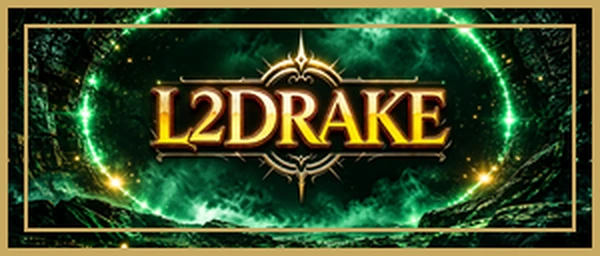
The image below came out of this MCP, from the request beside it. It is the same file that goes into the server patch.
What was asked
Turn this banner into a .utx texture with a 4px double gold frame and a diagonal highlight across the logo, lighting only the bright parts.
What the AI chose on its own
- frame: double, 4px, #c9a961
- highlight: “bright” mask, strength 0.65
- angle: 25° · position: 0.42
- format: RGBA8 · 512×128 · 342 kB
The “bright” mask is what separates a highlight from a wash: it lights only what was already bright — the lettering and the metal — and leaves the dark background untouched.
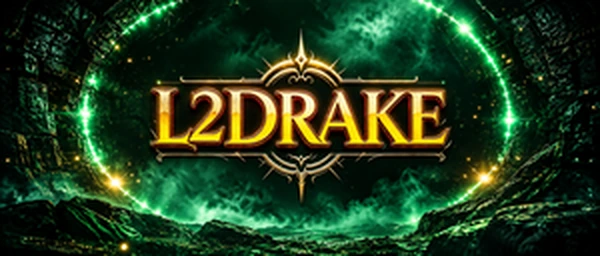
What it delivers
Frames in four styles
Simple, double, L-corners only, or bevelled for a metal read. Drawn INSIDE, because Lineage requires power-of-two sides — the dimensions never change.
A highlight that doesn't wash the art
The light band can hit only what is already bright, only what is opaque, or the whole image. Angle, position and width you ask for in words.
Looping animation
The art stays still and only the light sweeps, starting and ending off-frame so the loop doesn't jump. 24 to 36 frames reads smooth.
DXT1, DXT3, DXT5 and RGBA8
Real compression through Compressonator. The server warns you when the size isn't a power of two — in DXT the client would refuse it.
Encrypted file, patch-ready
It comes out exactly as the client expects. The download link works once, and the server deletes the file afterwards.
A fair queue
Two generations at a time on the server, one per subscriber. Nobody in a loop blocks everyone else's queue.
Two plans, no catch
Cancel any time. Access runs to the end of the period you paid for.
Before you ask
- Which AI does it work with?
- Any that speaks MCP — Claude, Claude Code and the others that adopted the protocol. It's a remote address, not a program to install.
- Do I need a server or a VPS?
- No. The work happens on my server; your machine only sends the request and receives the file.
- Can I share the subscription with a friend?
- Each plan authorises one AI at a time. Authorising on a second machine disconnects the first — so sharing annoys both of you constantly, by design.
- What if a build fails?
- The credit comes back. You're charged before the build, and any error refunds what was held.
- What happens when credits run out?
- The AI tells you they're gone and stops. Nothing is charged beyond what you asked for.
- Does my artwork stay on your server?
- No. The file is deleted after delivery, and the download link works only once.
Stop converting DDS by hand.
Subscribe, paste the address into your AI, and ask for the next texture in plain words.